
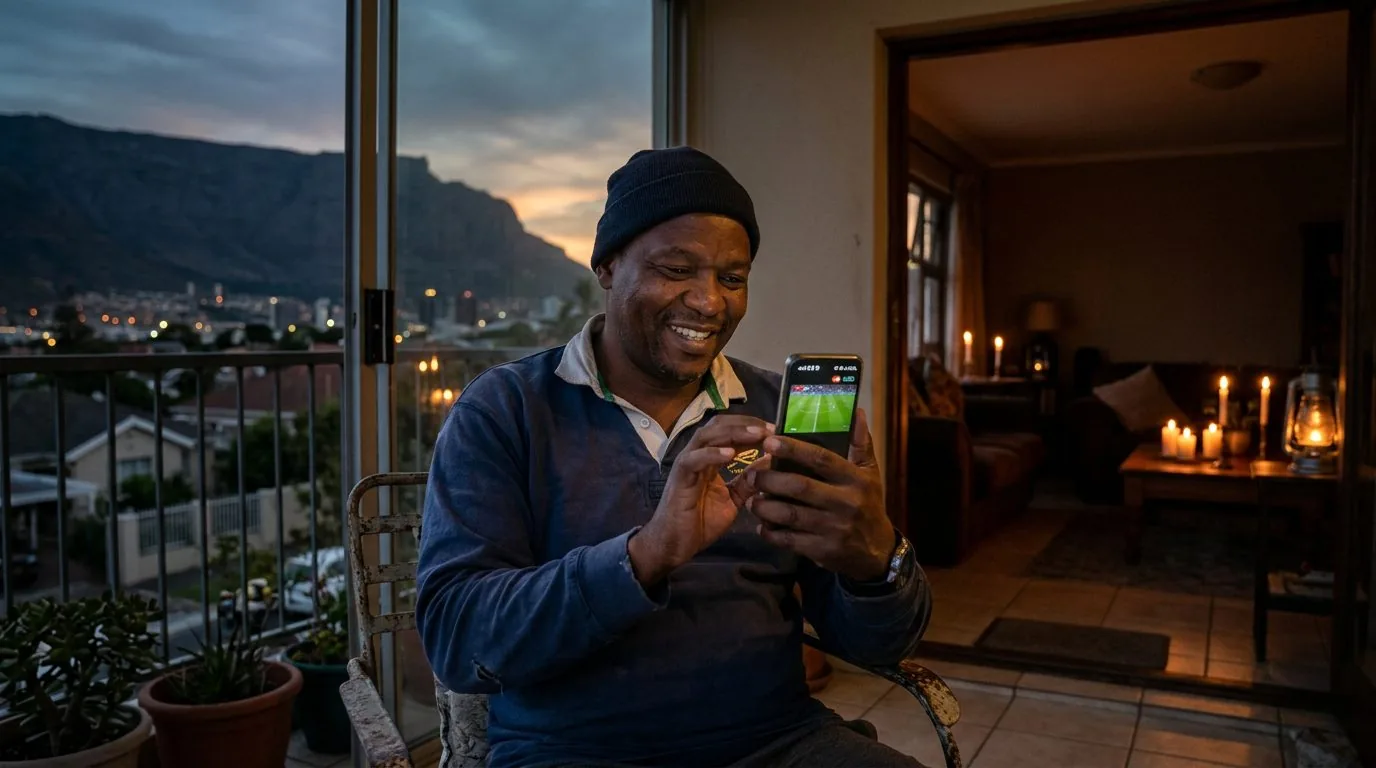
Watching IPTV on Mobile Data During Load Shedding
IPTV on mobile data is a real option for South Africans who want to keep watching live TV when the power goes out or when their home Wi-Fi router is down during load shedding. Your phone has its own battery, its own mobile connection, and a pocket-sized screen that doesn't need the lounge TV to work at all. This guide explains how to make it work well, which networks perform best, and how to manage your data so you don't burn through your bundle during a two-hour match.
Why Load Shedding and IPTV on Mobile Data Go Together
Load shedding takes out your router before it takes out your phone. Most home routers have no battery backup, so the moment Eskom cuts power, your Wi-Fi drops, even if your TV has a UPS running it. Your mobile phone, on the other hand, can stream for hours on its internal battery without needing the grid at all.
That makes IPTV on mobile data the natural fallback during outages. You're not dependent on any home infrastructure. As long as your mobile network has signal, you have a working stream. South Africa's LTE and 5G coverage in urban areas is good enough that mobile data IPTV quality is often comparable to a home fibre stream.
The challenge is data cost. Mobile data in South Africa is still more expensive per GB than fixed-line data, and live TV chews through it quickly if you're not careful about your settings.
How Much Data Does IPTV Use on Mobile?
Stream quality is the single biggest factor in your data consumption. Here's a practical guide to what you can expect:
| Stream Quality | Data per Hour | 90-Minute Match | Best for |
|---|---|---|---|
| SD (360p–480p) | ~0.5–0.7 GB | ~1 GB | Tight data budgets, smaller screens |
| HD (720p) | ~1.5 GB | ~2.2 GB | Good balance on mobile screens |
| Full HD (1080p) | ~2.5–3 GB | ~4 GB | Large tablet or connected to big screen |
On a phone screen, 720p HD looks sharp and uses about half the data of Full HD. Unless you're casting to a large TV, there's no real visual benefit to 1080p on a six-inch screen. Set your IPTV player to 720p when you're on mobile data and you'll get a clean picture while keeping consumption manageable.
For more detail on exactly how much data IPTV uses across different devices and scenarios, read our dedicated guide: How Much Data Does IPTV Use? A South African Guide.

Best Settings for IPTV Mobile Data Streaming
Getting the right settings in your IPTV player app makes a noticeable difference to both picture quality and data usage. Here's what to adjust before you go mobile.
Set a Fixed Stream Quality
Most IPTV apps default to "Auto" quality, which sounds convenient but can spike to Full HD without warning, burning data faster than expected. In IPTV Smarters Pro, go to Settings > Stream Quality and lock it to HD or Standard. In TiviMate, the same option lives in Settings > Player. Setting a fixed cap keeps your data consumption predictable throughout a stream.
Use a Lightweight IPTV Player
Heavier apps with large EPG downloads and constant background refresh use more data even when you're not watching anything. IPTV Smarters Pro and GSE Smart IPTV are both reasonably light. Turn off background EPG updates in settings if you're on a tight bundle; you can refresh the guide manually before you start watching.
Disable Auto-Reconnect Loops
If a stream drops and the app automatically keeps trying to reconnect, each attempt pulls data. This isn't a huge amount per attempt, but during a bad signal patch it can add up. Keep an eye on this behaviour and close the app if you've lost signal rather than letting it loop in the background.
Pre-Load Before Load Shedding Starts
If you know your area's load shedding schedule (the EskomSePush app is reliable for this), switch over to mobile data a few minutes before the outage starts. Your app will already have the channel loaded and the stream running. When your router drops, you're already watching on your phone without any gap.
Which Mobile Network Works Best for IPTV Mobile Data in South Africa?
This varies significantly by location, but some general patterns hold across most of the country.
Vodacom has the widest LTE coverage, which matters in areas where other networks struggle. In towns and rural parts of the country, Vodacom often has the only reliable 4G signal. For IPTV streaming, LTE is enough: you need around 5–10 Mbps sustained, and Vodacom LTE consistently delivers that in covered areas.
MTN has strong 5G rollout in major metros, and 5G makes IPTV on mobile data very comfortable: latency drops, speeds go up, and you can even push a 1080p stream without issues. In Johannesburg, Pretoria, Cape Town, and Durban, MTN 5G is a genuine upgrade for mobile TV.
Telkom Mobile offers more affordable data bundles than the big two, and in urban areas their LTE performance is competitive. If you're watching sport on mobile data regularly and data cost is the main concern, Telkom Mobile bundles can make IPTV significantly cheaper per GB.
Rain offers unlimited 5G data plans in select coverage areas, and if your neighbourhood has Rain 5G signal, it's the most cost-effective option for heavy IPTV mobile data use. One flat monthly fee removes the per-GB anxiety entirely.
The honest answer is: test your specific network at home and in the areas where you're most likely to watch during outages. Coverage maps don't always reflect real-world signal quality in specific buildings.
Practical Load Shedding Strategies for IPTV Viewers
Beyond just switching to your phone, there are a few approaches that make the load shedding IPTV experience much smoother.
A Small UPS for Your Router
A compact UPS (uninterruptible power supply) costs between R400 and R800 and can keep a Wi-Fi router running for 3 to 6 hours depending on the device's power draw. If your router is the only thing you need powered for IPTV on a TV, this is a cost-effective solution. You can watch on your full home setup (smart TV, Android box, or Firestick) without switching to mobile at all.
Pair this with a phone-based hotspot as a backup and you have a two-layer contingency: UPS-powered router first, mobile hotspot if the UPS runs out.
Your Phone as a Hotspot
If you have a streaming device connected to your TV (a Firestick, Android TV box, or smart TV with a network connection), your phone can act as a mobile hotspot. The TV device connects to your phone's hotspot over Wi-Fi, and your phone provides the internet connection via its mobile data. This means you're still watching on the big screen, not just your phone.
Data usage is the same regardless of whether you watch directly on your phone or via a hotspot, as the stream goes through your SIM either way. The advantage is screen size and comfort.
Download Schedules Don't Exist for Live TV
One thing worth noting: IPTV is live streaming. There's no "download for offline viewing" option with a live channel. If you want to watch something specific during an outage, you need an active data connection for the entire viewing session. This is different from a video-on-demand service where you could pre-download content over Wi-Fi before the outage.
Plan your data budget accordingly. If you know a three-hour match is happening during a scheduled outage, set aside 4 to 6 GB (depending on the quality you prefer) and make sure your bundle can cover it.
Getting an IPTV Subscription That Works on Mobile
Not all IPTV subscriptions support mobile access equally well. Look for a service that provides M3U playlist links or Xtream Codes credentials that you can use in the IPTV Smarters Pro app on your phone, available for both Android and iOS.
The IPTV subscription plans at bestiptvsa.com work across devices including phones and tablets. A single subscription lets you switch between your home TV setup and mobile access without needing a separate plan for each device. Pricing runs R399 for a month, R599 for three months, R849 for six months, or R1 299 for a year.
If you're not sure which apps work best on mobile, the IPTV Smarters Pro guide covers mobile setup specifically.
Frequently Asked Questions
Can I watch IPTV on mobile data during load shedding in South Africa?
Yes. Your phone runs on its own battery and connects via mobile data independently of your home Wi-Fi. As long as you have LTE or 5G signal, you can stream IPTV without needing any power at home. Most IPTV player apps are available on both Android and iOS.
How much mobile data does an IPTV stream use per hour?
At HD (720p), expect around 1.5 GB per hour. At Standard Definition, it's closer to 0.5 to 0.7 GB per hour. Full HD (1080p) uses 2.5 to 3 GB per hour. For most phone screens, HD gives you the best balance of picture quality and data efficiency.
Which South African mobile network is best for IPTV streaming?
It depends on your location. Vodacom has the broadest LTE coverage nationally. MTN has the strongest 5G rollout in major cities. Telkom Mobile offers affordable bundles in urban areas. Rain's unlimited 5G plan is the best value if you're in a covered area. Test your own network; real-world performance varies by neighbourhood.
Can I use my phone as a hotspot for IPTV on a TV or streaming box?
Yes. Enable the mobile hotspot on your phone, connect your Firestick, Android TV box, or smart TV to it as a Wi-Fi network, and your phone supplies the internet connection via its mobile data. You'll watch on the big screen using your phone's data. Usage is the same as watching directly on your phone.
Will IPTV work on 3G, or do I need 4G/LTE for it?
3G is too slow for a reliable IPTV stream. Live channels need 5 to 10 Mbps sustained, and 3G rarely delivers that consistently. You need LTE (4G) at minimum. 5G makes mobile IPTV notably better, but LTE is the practical baseline for decent quality.
Does using IPTV on mobile data affect my phone's battery life?
Streaming video uses more battery than most other phone activities because it keeps the screen on and runs the mobile radio continuously. A two-hour match will drain a typical modern phone battery by 40 to 60% depending on screen brightness and signal strength. Keep a power bank handy if you're planning a full session away from a charger.
IPTV on mobile data turns load shedding from a frustrating TV blackout into something you can work around without much effort. Get started with a subscription at bestiptvsa.com, or visit the subscription page to see all available plans.